2.7 Archiving GroupWise Messenger
2.7.4 Configuring Retain on GW Messenger
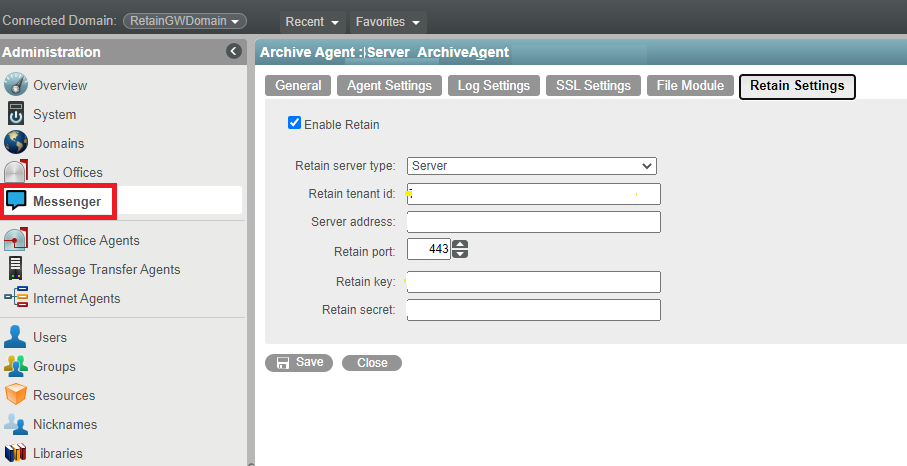
Retain lets you store all of your archiving in one location for all of your systems. You must know the configuration for your Retain system to enable Retain archiving. If you are using a Retain Server or Router, you need your Tenant ID, Retain server address and port, and a Key and Secret from a REST Collector for Messenger. To configure Retain, go to GroupWise Messenger Module in the Retain documentation.
IMPORTANT:The Retain Service must have the SSL (TLS) connection enabled and running for the GroupWise Messenger 18 Archiving solution to work. Enabling SSL is optional and not part of the default configuration when installing the Retain system.
To enable Retain Archiving, do the following:
-
Obtain the Retain settings for your system.
-
In the GroupWise Admin Console, navigate to , click the , and then select the tab.
-
Select and fill in the settings for your Retain system.
2.7.5 Configure the GW Messenger Module
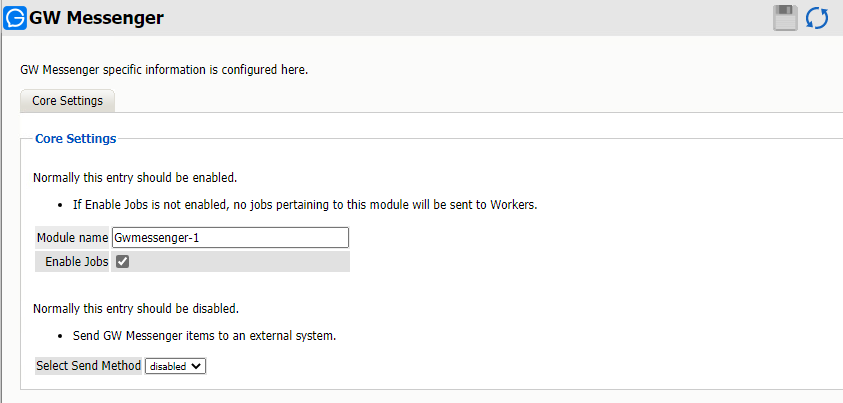
Open the module to configure.
Path: Retain Server Manager > > >
Change the name, if desired.
Make sure that jobs are enabled.
Save the changes.