

| |
Rate per connection is a flat-rate charge based on any or all of the following:
This rate is applied to all users each time they connect to the current remote access software, regardless of the duration of the connection.
To access the Rate Per Connection settings, click the Rate Per Connection tab button in the Accounting Formula dialog box. ConnectView displays the rate per connection options, shown in Figure 31.
Figure 31
Accounting Profile Dialog Boxwith Rate per Connection Options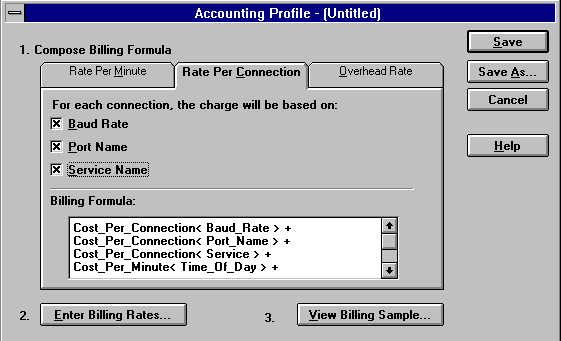
Click the desired check boxes for the rate tables you want to use.
To close this dialog box and accept all changes, click the Save or Save As button. To display additional billing formula options, click a tab button. To close this dialog box without applying any changes, click the Cancel button.
NOTE: To enter rates for the rate per connection based on baud rate, port name, and type of service, click the Enter Billing Rates button (Step 2) and then click the desired tab buttons.
| |