

| |
Overhead rate is a flat-rate charge applied to all remote access software users assigned to the profile during the specified billing period. Alternatively, this charge can be applied to all users assigned to the profile, including those without valid remote access connections during the billing period.
To enter a rate per billing period, click the Overhead Rate tab button. ConnectView displays the overhead rate options, shown in Figure 32.
Figure 32
Accounting Profile Dialog Boxwith Overhead Rate Options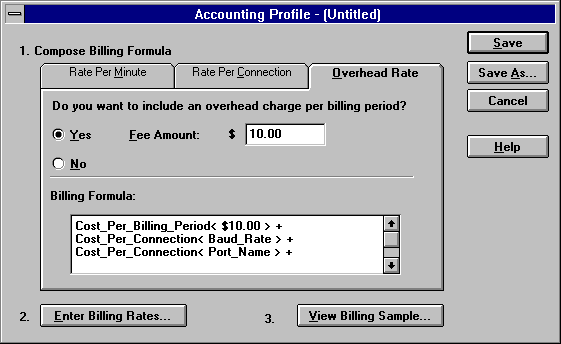
If you want to use a flat-rate access fee or rate per billing period charge, click the Yes radio button and enter the desired charge.
NOTE: Rates must begin with an integer, for example 0.50 or 1.20. A leading decimal point will not be accepted.
To close this dialog box and accept all changes, click the OK button. To display additional billing formula options, click a tab button. To close this dialog box without applying any changes, click the Cancel button.
| |